Start here
Price the job from what it costs you
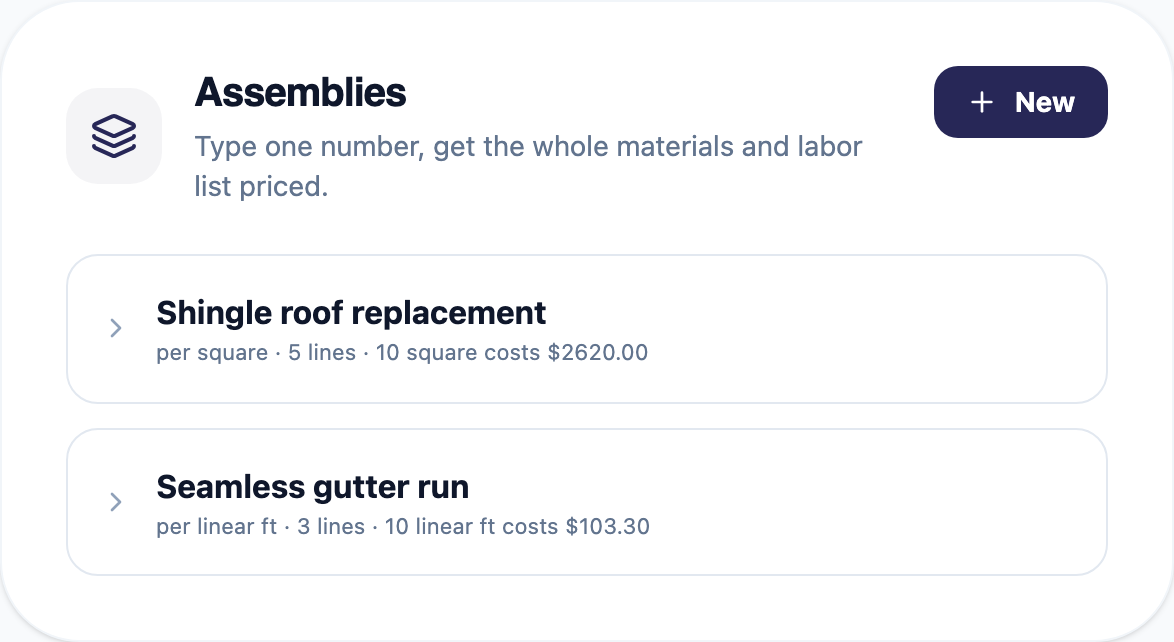
Tell it once what one square, one foot, or one unit takes: the materials, the quantities, the waste, the labor hours. That is an assembly, and you build it once.
After that you type one number. Thirty squares turns into every material line and the labor to install it, each one costed and priced at the margin you set. Waste is already in the quantities, and anything sold in packages rounds up, because nobody sells you a fifth of a roll.
Every line stays editable. It is a starting point, not a locked bundle.
Then
Give them a few prices instead of one
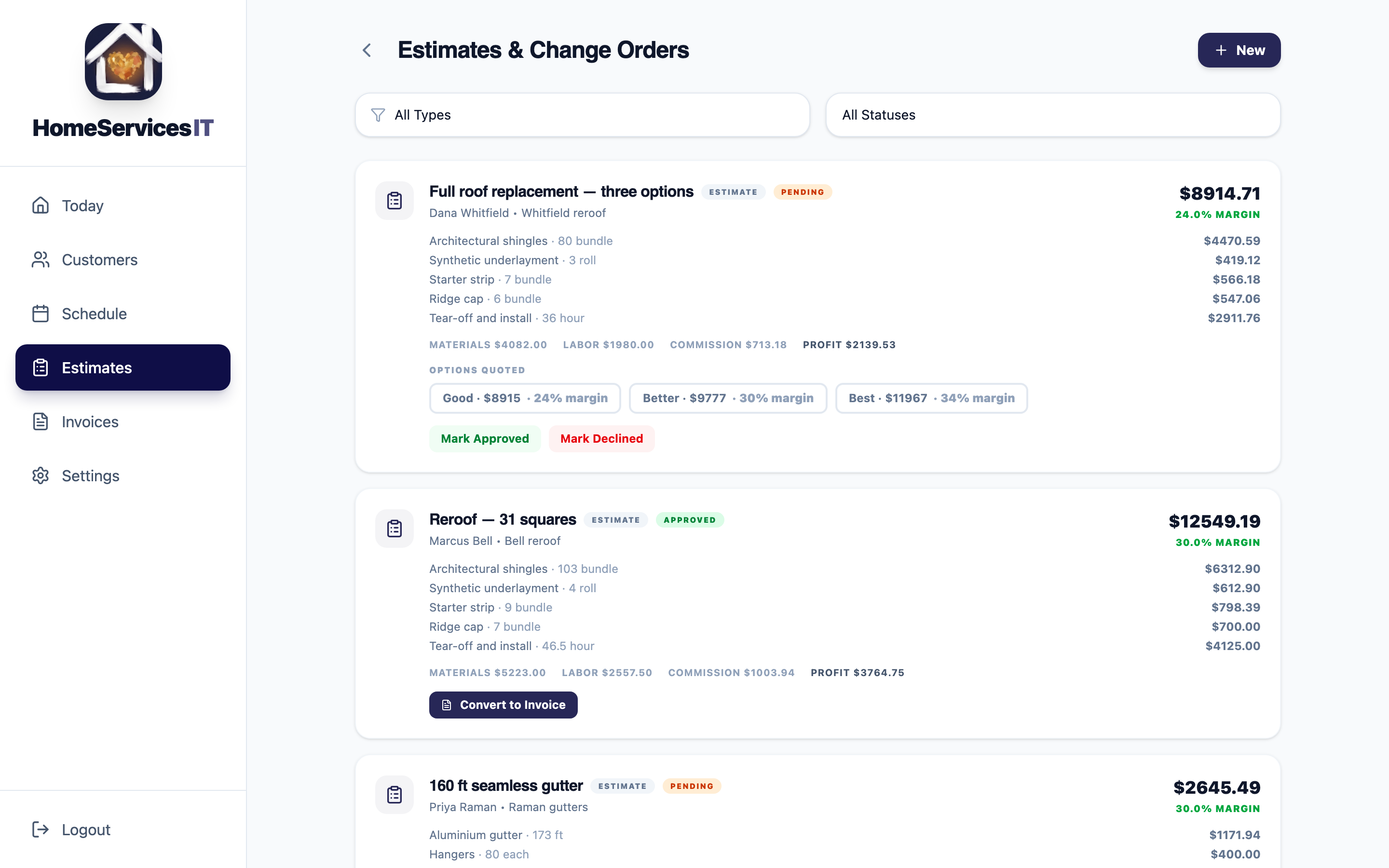
Good, Better and Best on a single quote, up to six if your price sheet runs that deep. Each one is built separately and shows you its own margin before you send it.
The customer picks one and the app remembers which. Over a season that tells you something worth knowing: which tier people actually buy.
Write the pitch once: what's in it, the warranty, why the top tier is worth it. It shows up on every quote that tier goes out on after that.
Then
Put the work on the board
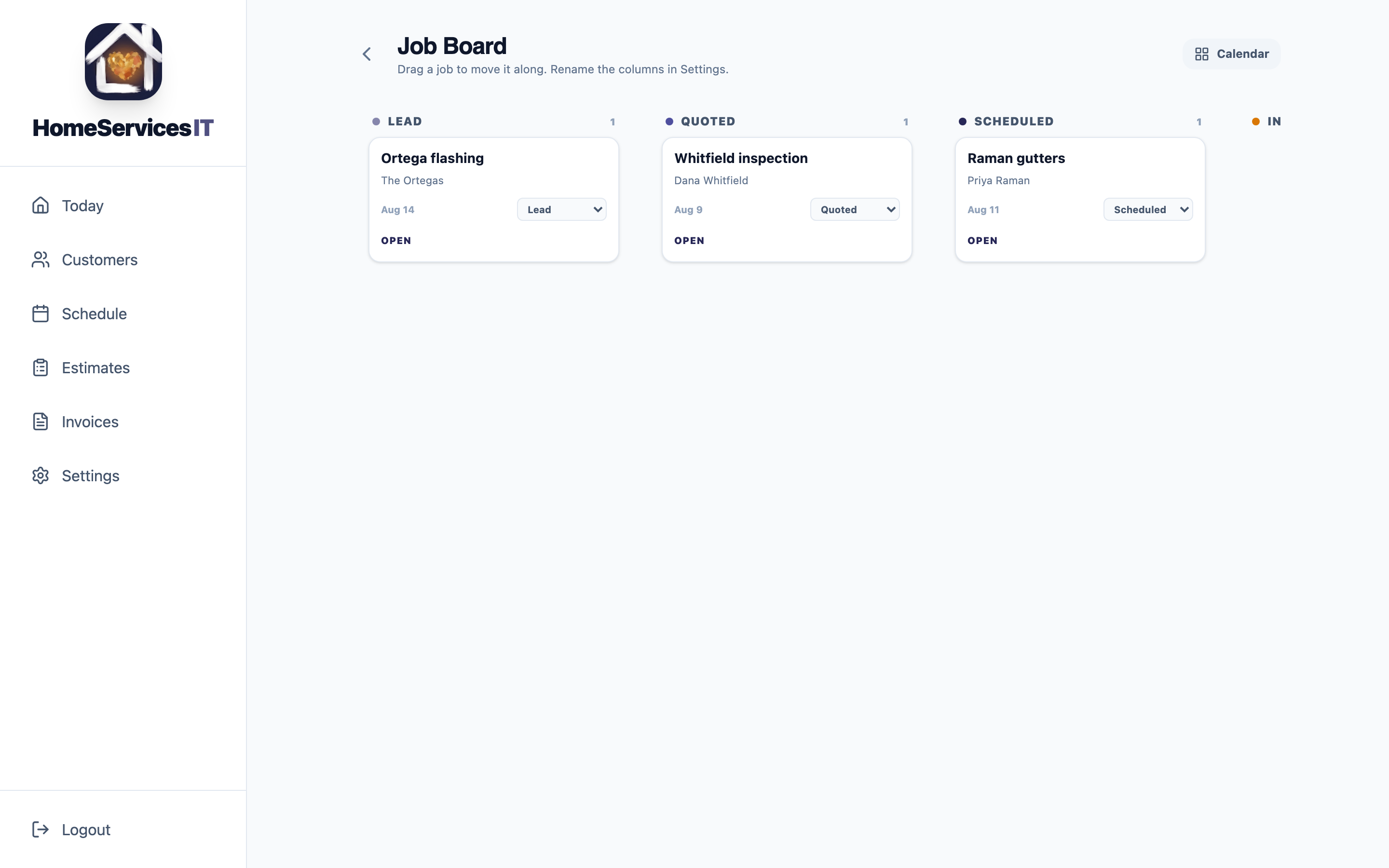
Lead, quoted, scheduled, in progress, complete. Drag a job along as it moves, or change it from the card. Call the columns whatever you call them out loud.
Moving a card does not mark a job done or send an invoice. Those stay deliberate, because a stray drag should never bill somebody.
Tag where a job sits inside a column: permit pulled, materials ordered, ready to install, without turning five columns into fifteen. Filter the board to just your own work when more than one of you is running it.
Before the crew shows up
Turn the estimate into a material order
The materials are already counted, waste included, the moment the estimate is approved. Pull them onto one page and hand it to a supplier or a crew instead of retyping the quote.
Costs stay off by default. A supplier does not need to see what you pay, only what you need.
After the job
Find out what it actually made
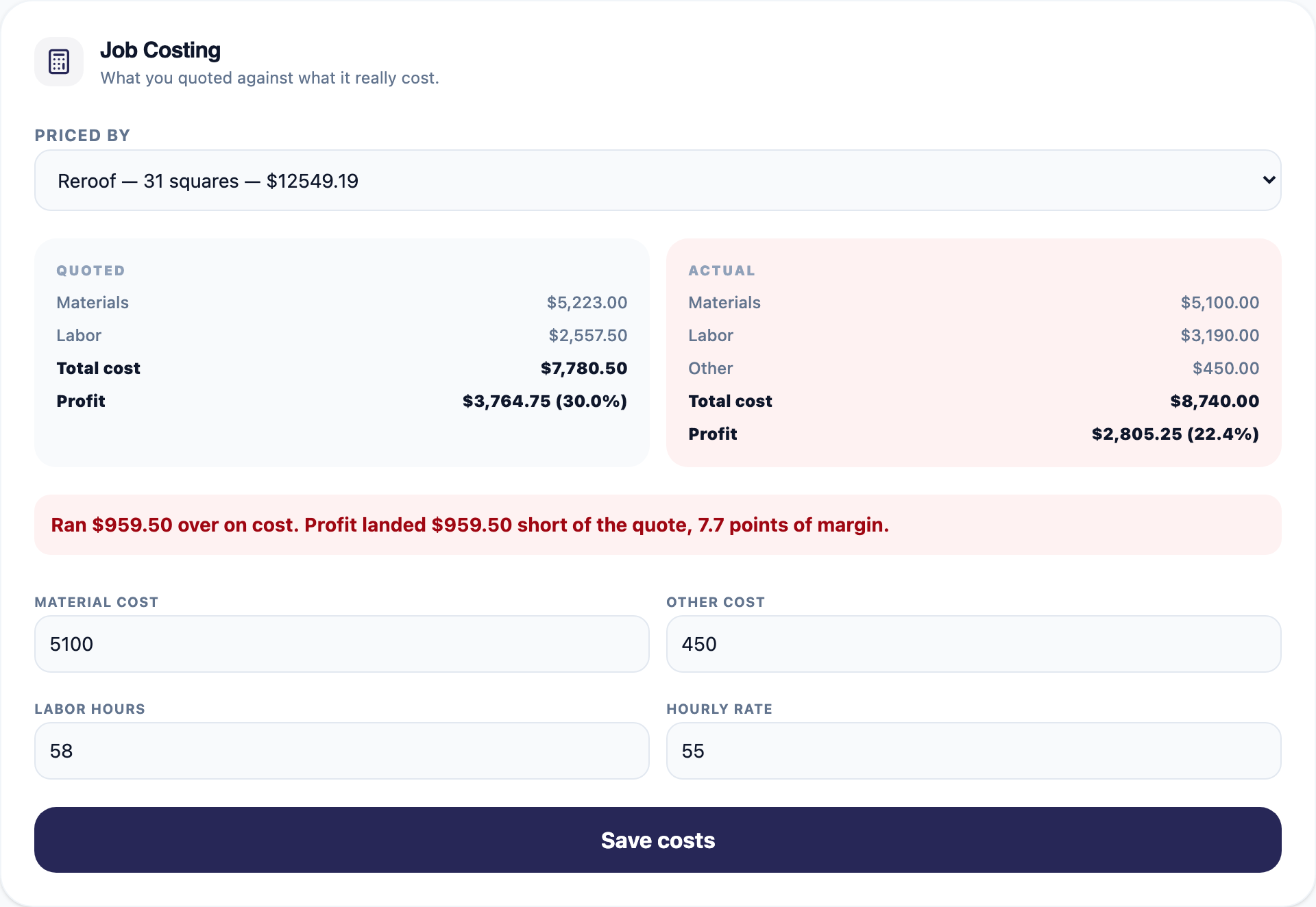
Put in the supplier invoice and the real hours. You get the quote and the actual side by side, and a plain sentence telling you which way it went.
This is the part that either earns its keep or quietly goes unused, so it is worth saying plainly: somebody has to enter those numbers. Nothing can work them out for you.
And then you know
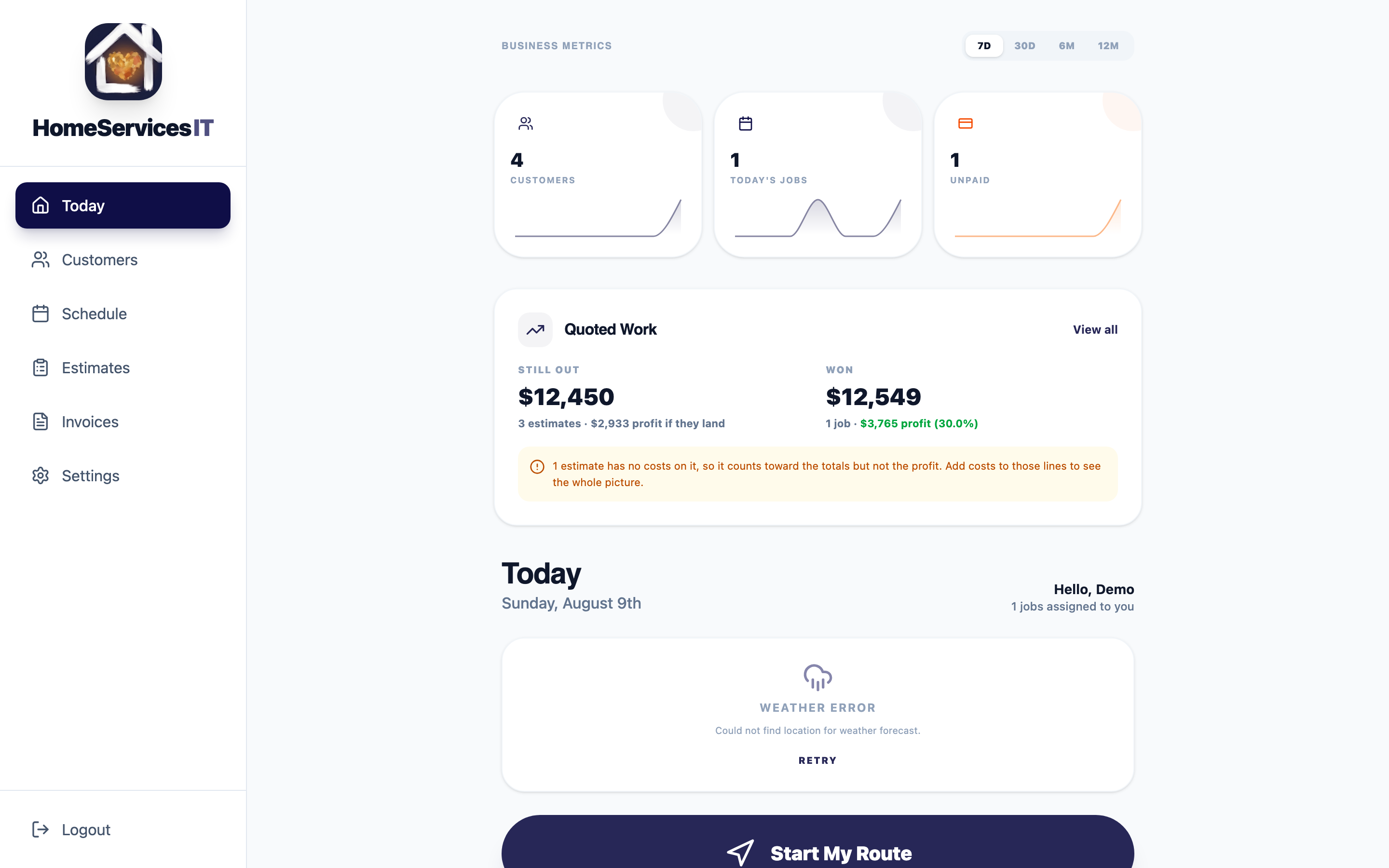
What is out, what you won, what you kept
Quoted work still waiting on an answer, work you won, and the profit sitting inside it after cost and commission.
If an estimate has no costs on it, the app shows no margin rather than guessing, and tells you how many are uncounted. A tool that reports a confident number nobody entered is worse than one that admits what it does not know.
Find out what your last job actually made.
Thirty days free, no card. From $29 a month after that, and you never pay per crew member.
Curious about the margin maths first? Try the markup vs margin calculator.
Two more free things: the contractor quote template and a plain account of how invoicing works here.